
LXDC
Version 0.32 · Eiichiroh Itoh
Description
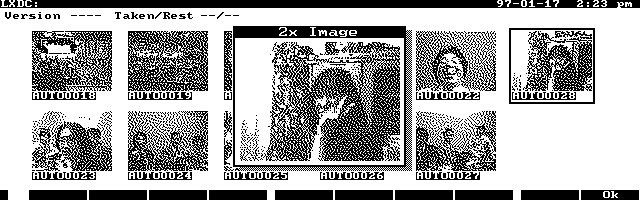
LXDC is a program to control the Kodak DC20 digital camera from the HP 100/200LX. Lets you store photos on your HP so you can take more than 8 pictures with your DC20. Copyrighted freeware.
Technical details
- File
lxdc032.zip- Size
- 21.7 KB
- Format
- .zip
- Year
- 1996
- Added to S.U.P.E.R.
- 1997-01-13
- Files inside
- 3
- Author
- Eiichiroh Itoh
- Path
anonftp/pub/lxdc032.zip
How to install it
What to send to the palmtop saves 19.2 KB
These are the files you need. You can send them from the package contents below.
-
LXDC.EXM→ A:\SOFT aplicación del System Manager 29.4 KB -
LXDC.INI→ A:\_DAT configuración 45 B
No need to put
LXDC.TXT:
they are manuals, source code or supporting material. Read them here and save 19.2 KB on a 1 MB disk.
Steps
- Copy LXDC.EXM to A:\SOFT. It is a System Manager application: register it in App Manager with F2 (Add), giving the full path (for example A:\SOFT\LXDC.EXM).
- The 200LX takes 8 EXM applications at most. Check with F8 (List) in App Manager: an asterisk in the Status column means the quota is full and you will need MoreEXM.
- Copy LXDC.INI to A:\_DAT, where the 200LX looks for configuration. Open it with Memo and adjust it before use.
- If you edit a configuration file on the palmtop, make sure you leave a newline at the end: some programs swallow the last line without saying a word.
Derived from the package contents and the 200LX conventions. It installs to A: on purpose: C: is a RAM disk and every byte there is memory taken from the system.
The author's instructions
3.Installation

Decompress the archive, place LXDC.EXM to your preferred
directory and register it to MoreEXM or System Manager.  Place
LXDC.INI to A:\_DAT or C:\_DAT.

You need to create a directory for LXDC to store images
(example: A:\LXDC).  One image consumes approximately 125 KB.
You may prefer A: drive to C: as generally A: (flash disk)
provide more unused disk space.

Edit LXDC.INI on A:\_DAT or C:\_DAT and make an entry to define
the image storage directory (which you have just created) by
the following line:

     D=A:\LXDC

Just add the directory name after "D=".

    Note:  If LXDC does not find LXDC.INI, it assumes that the
           storage directory is C:\ and creates LXDC.INI on
           C:\_DAT when it is closed.  You can edit it by using
           the build-in Memo editor.  You can move it from
           C:\_DAT to A:\_DAT.

If there is a file LXDC.INI on C:\_DAT and on A:\_DAT, LXDC
uses the one on A:\_DAT.

If your camera is the Chinon ES-1000, additional modification
of LXDC.INI is necessary.  Below "d=..." line, you should add
one line which reads:

     e=1

It makes the software bundled with the ES-1000 to recognize LXDC.

Now you can start LXDC by pressing the start key you selected
at the installation.
Literal excerpt from LXDC.TXT, exactly as it came in the package.
Package contents
Send to my palmtop
The palmtop must be waiting before you press the button, or the transfer will fail. It is the palmtop that announces it is ready, not the other way round.
Your browser cannot talk to the serial port. Direct sending uses the Web Serial API, which only exists in Chrome, Edge and Opera on desktop — not in Firefox, Safari or any mobile browser.
Download the file with the button above and copy it to the palmtop your usual way.