
Protel Easytrax
Version 2.06 · Protel Technology
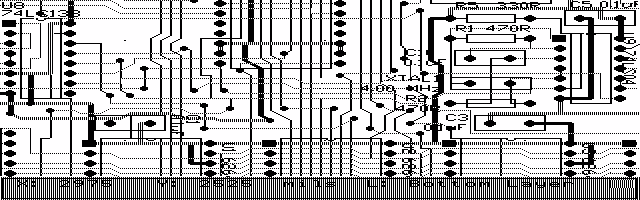
Description
Easytrax is a low-cost, yet powerful, softare package for producing printed circuit board (PCB) artwork. It is a fully-featured system which runs on the IBM-PC/XT/AT and PS/2 series and close compatibles. Copyrighted freeware.
Technical details
- File
easytrax.zip- Size
- 462.3 KB
- Format
- .zip
- Year
- 1992
- Added to S.U.P.E.R.
- 1999-02-24
- Files inside
- 9
- Author
- Protel Technology
- Path
anonftp/pub/easytrax.zip
How to install it
What to send to the palmtop saves 56.9 KB
These are the files you need. You can send them from the package contents below.
-
EEDITARC.EXE→ A:\SOFT programa de DOS 136.9 KB -
EPLOTARC.EXE→ A:\SOFT programa de DOS 138.4 KB -
GRAPHARC.EXE→ A:\SOFT programa de DOS 80.4 KB -
INSTALL.DAT→ A:\_DAT configuración 456 B -
INSTALL.EXE→ A:\SOFT programa de DOS 33.3 KB -
LIBARC.EXE→ A:\SOFT programa de DOS 99.0 KB
No need to put
INSTALL.MNU, READ.ME, VER____2.06:
they are manuals, source code or supporting material. Read them here and save 56.9 KB on a 1 MB disk.
Steps
- Copy EEDITARC.EXE, EPLOTARC.EXE, GRAPHARC.EXE, INSTALL.EXE to A:\SOFT. They are DOS programs: run them from the DOS icon, or add A:\SOFT to the PATH in C:\AUTOEXEC.BAT to call them by name.
- Copy INSTALL.DAT to A:\_DAT, where the 200LX looks for configuration. Open it with Memo and adjust it before use.
- If you edit a configuration file on the palmtop, make sure you leave a newline at the end: some programs swallow the last line without saying a word.
Derived from the package contents and the 200LX conventions. It installs to A: on purpose: C: is a RAM disk and every byte there is memory taken from the system.
The author's instructions
Installation instructions

Tutorial section
1  Tutorial: Getting started
   Loading the demonstration board
   Using the menus
   Identifying items on the board
   Getting information about the board
   Jumping to components and pins
   Some special keys
   Speeding up menu selections
   Quitting from the program

2  Tutorial: Laying out a PCB
   Getting started
   Placing components
   Laying tracks
   Connecting to power and ground planes

3 Tutorial: Plotting a board
   Starting the program
   Loading the DEMO file
   Overview of plotting a board
   Setting the serial port parameters
   Choosing the plot type
   Loading the plotter driver
   Setting the pen parameters
   Plotting the board

4  Tutorial: Gerber plots
   Setting up a Gerber plot
   Creating the Gerber file
   Plotting the pad master


5  Options Summary


INTRODUCTION

This freeware is not copy protected and we encourage you to
pass it onto other interested people. Please feel free to make
copies of the disk. All we ask is that our copyright notice is
diplayed on the disk label.

Protel Easytrax is a low-cost, yet powerful, software
package for producing printed circuit board (PCB) artwork.
It is a fully-featured system which runs on the IBM-PC/XT/AT
and PS/2 series and close compatibles.

The package has many advanced features including
component library support and comprehensive plotting facilities.

This text file describes how you can quickly and easily explore
the powerful features of the accompanying Protel Easytrax
freeware. Easy to learn and easy to use, Easytrax
puts professional-quality PCB layout tools in the hands of
students, hobbyists and part-time designers. Easytrax is the
introductory-level member of the Protel family of Electronics
Design Automation packages.

…
Literal excerpt from READ.ME, exactly as it came in the package.
Package contents
Send to my palmtop
The palmtop must be waiting before you press the button, or the transfer will fail. It is the palmtop that announces it is ready, not the other way round.
Your browser cannot talk to the serial port. Direct sending uses the Web Serial API, which only exists in Chrome, Edge and Opera on desktop — not in Firefox, Safari or any mobile browser.
Download the file with the button above and copy it to the palmtop your usual way.