
Backgammon
Version 5.XX · Willy Chaplin
Description
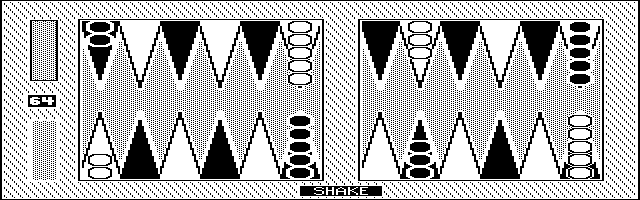
This is a backgammon game with teeth (very hard to beat) that runs well on the 200LX. It was originally written for the Commodore PET in 1979 and has been steadily improved since then. Copyrighted freeware.
Technical details
- File
backgamm.zip- Size
- 79.1 KB
- Format
- .zip
- Year
- 1998
- Added to S.U.P.E.R.
- 1998-09-25
- Files inside
- 7
- Author
- Willy Chaplin
- Path
anonftp/pub/backgamm.zip
How to install it
What to send to the palmtop saves 45.8 KB
These are the files you need. You can send them from the package contents below.
-
INSTALL.BAT→ A:\SOFT programa de DOS 190 B -
BG1991.EXE→ A:\SOFT programa de DOS 73.3 KB -
BG1992.EXE→ A:\SOFT programa de DOS 221.0 KB
No need to put
README, BACKGAMM.TXT, AUTHOR.TXT, permiss.txt:
they are manuals, source code or supporting material. Read them here and save 45.8 KB on a 1 MB disk.
Steps
- Copy INSTALL.BAT, BG1991.EXE, BG1992.EXE to A:\SOFT. They are DOS programs: run them from the DOS icon, or add A:\SOFT to the PATH in C:\AUTOEXEC.BAT to call them by name.
Derived from the package contents and the 200LX conventions. It installs to A: on purpose: C: is a RAM disk and every byte there is memory taken from the system.
The author's instructions
Setup a Position

After hitting <Ctrl S> and the board has cleared, use the '<' and '>' keys
to move the cursor around the screen.  Note that the cursor will visit all
points, including the bar at BOTH ends of the screen.

To insert pieces on an empty point, cursor to that point and then hit <C>
or <P> plus a digit from 1 to 9 to indicate whose pieces and how many to
place on that point.

To delete pieces on a point, cursor to that point and the press the <Del>
key.  These pieces will return to their holder.

The computer will not allow you to make illegal placements (such as putting
the computer's pieces on the player's bar).

Once you have completed your setup, hit <Enter>.  You will be asked "OK?" and
if you sanction it by hitting <Y>, the final question is which side to move
first.  Hit <C> for computer and <P> for player (you).

If you have trouble deciding which color belongs to whom, remember that yours
are in the piece holder at the bottom of the screen.  Also, your home quadrant
(the computer's bearing off quadrant) is always numbered 1 to 6.

Note that if you enter setup during a game, you will lose that game and can
only save or replay moves from the point of the setup.


			Saving/Restoring Games

At the end of each game, you are asked if you wish to save it.  Only the <Y>
key will start the saving process.  Any other key will proceed.  if you do
answer <Y>, the board will clear away and you will be presented with a menu.
You can also hit <Ctrl W> at any time to get to this menu.

You can save or restore any fragment of any game in this fashion.  You must
give each saved fragment a name, after which it will be written to disk.  The
number of games you can save is limited only by disk space.

…
Literal excerpt from BACKGAMM.TXT, exactly as it came in the package.
Package contents
Send to my palmtop
The palmtop must be waiting before you press the button, or the transfer will fail. It is the palmtop that announces it is ready, not the other way round.
Your browser cannot talk to the serial port. Direct sending uses the Web Serial API, which only exists in Chrome, Edge and Opera on desktop — not in Firefox, Safari or any mobile browser.
Download the file with the button above and copy it to the palmtop your usual way.