
MAPPOT
Versión 1.16e · Masaki Tsumori (Brahma)
Descripción
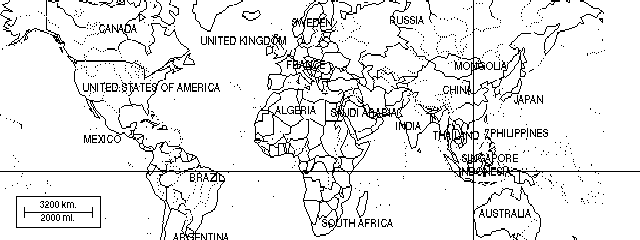
Nice utility to view PCX files with a pointer. Copyrighted freeware.
Ficha técnica
- Fichero
mappot.zip- Tamaño
- 19.7 KB
- Formato
- .zip
- Año
- 1995
- Alta en S.U.P.E.R.
- 1996-11-11
- Ficheros dentro
- 8
- Autor
- Masaki Tsumori (Brahma)
- Ruta
anonftp/pub/mappot.zip
Cómo instalarlo
Qué enviar al palmtop ahorras 29.9 KB
Estos son los ficheros que necesitas. Puedes enviarlos desde el contenido del paquete.
-
MAPPOT2.ICN→ A:\SOFT icono, junto a su aplicación 200 B -
MAPPOT.ICN→ A:\SOFT icono, junto a su aplicación 200 B -
SFSAMPLE.GDB→ A:\DATOS fichero de datos 2.9 KB -
MAPPOT.EXM→ A:\SOFT aplicación del System Manager 7.3 KB
No hace falta llevar al palmtop
SF.PCX, CABLCAR.PCX, INSTMPOT.MAC, MAPPOT_E.DOC:
son manuales, código fuente o material de apoyo. Léelos aquí y ahórrate 29.9 KB en un disco de 1 MB.
Pasos
- Copia MAPPOT.EXM a A:\SOFT. Es una aplicación del System Manager: regístrala en App Manager con F2 (Add), indicando la ruta completa (por ejemplo A:\SOFT\MAPPOT.EXM).
- El 200LX admite 8 aplicaciones EXM como máximo. Comprueba con F8 (List) en App Manager: si ves un * en la columna Status, tienes el cupo lleno y necesitarás MoreEXM.
- Los .ICN son iconos: van en la misma carpeta que su aplicación.
- Los ficheros de datos se abren desde su aplicación correspondiente, no se instalan aparte.
Deducido del contenido del paquete y de las convenciones del 200LX. Se instala en A: a propósito: C: es un disco RAM y cada byte ahí resta memoria al sistema.
Instrucciones del autor
3. Installation

This chapter 3 gives you instructions for installing MAPPOT and a quick
overview of how it works on your LX.  Please refer to the Chapter 4 for
detailed description of the MAPPOT parameters.

3-1. Start System Macros ([CTRL]+[&...]).
3-2. Open INSTMPOT.MAC, the installer macro file ([MENU][F][O]).
3-3. Start the Filer, highlight MAPPOT.EXM and press [Fn]+[F2].  Then
     you see the installer macro automatically performs the
     installation of MAPPOT.EXM.
3-4. Verify your installation
 a. Create the command string.
     - Open MEMO.
     - Type the following text
              MPT:d:\_sys\topcard.pcx,320100
     - [SHIFT]+[arrow keys] to highlight the string, then [Fn]+[=](COPY)
       to copy it to the Clipboard
 b. Start MAPPOT by pressing [CTRL]+[ON].
 c. If the topcard is displayed and an "x" pointer is blinking at the
    center of the display, your installation of MAPPOT is successful.
    Congratulations!

Notes:
Extracto literal de MAPPOT_E.DOC, tal cual venía en el paquete.
Contenido del paquete
Enviar a mi palmtop
El palmtop tiene que quedar esperando antes de pulsar el botón, o la transferencia fallará. Es él quien avisa de que está listo, no al revés.
Tu navegador no puede hablar con el puerto serie. El envío directo usa la Web Serial API, que solo existe en Chrome, Edge y Opera de escritorio — no en Firefox, Safari ni en ningún navegador móvil.
Descarga el fichero con el botón de arriba y pásalo al palmtop con tu método habitual.